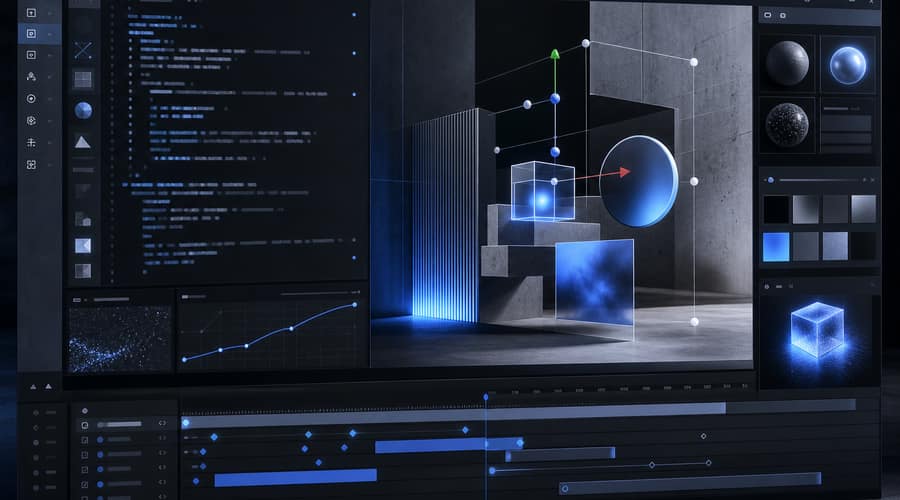
Figma used Config 2026 to make its design canvas behave much more like a coding workspace. If you build products, the point is plain: the handoff Figma once documented is now the thing it wants to remove.
For years, the awkward moment came after the mockup looked finished. A designer handed over a Figma file, an engineer rebuilt it in code, and then both sides spent days arguing about spacing, animation, states and whether the shipped thing still looked like the approved design. Every startup that has tried to move quickly knows that loop. At Config 2026 in San Francisco, Figma made its answer unusually direct: keep the work on the canvas, bring code into it, and let agents do more of the translation.
The clearest move is Code Layers. According to The Verge's report from June 24, Figma now lets teams work with code directly inside the Figma Design canvas, including cloning repositories, generating new directions with Figma's agent, extracting flows into editable design layers, and syncing changes back to code. That is a big step away from Figma as the place where a product is only pictured. It is pushing toward Figma as the place where product decisions start affecting the implementation itself.
You should read that as a competitive move, not just a feature release. Cursor has won attention by making AI feel native inside a developer's editor. Replit has made app building feel accessible from a browser. Figma is coming from the other end of the workflow, where the components, tokens and visual decisions already sit before anyone opens a terminal. For a solo founder or a two-person product team, that starting point matters. Your design system is not a reference document in that setup. It is the working material.
Figma Make gives the strategy more shape. The prompt-to-app tool was already available before Config 2026, but the new canvas and code updates make it less like a side experiment and more like part of the main workflow. The useful test is not whether Figma can generate a demo that looks good on stage. Plenty of tools can do that. The harder question is whether it can keep a real codebase, a real design system and a real team from drifting apart after the first version ships.
That is where the motion and shader updates become more important than they first look. Figma Motion now lets teams make animations, transitions and 3D transforms collaboratively in Figma, with AI prompts, preset styles and manual timeline controls. That kind of work often used to pass through After Effects, Lottie or a plugin before engineering ever tested it in a product. Figma is pulling that work back into the same surface where the interface is designed.
The shaders are even more specific. The Verge reported that Figma's new WebGPU-powered shader tools can create effects such as dither, pixelate and blur directly on the canvas, including effects that were not previously available in Figma. You can dismiss frosted glass and pixelation as visual polish if you like, but the operational point is harder to wave away. When effects, motion and code-backed design all live closer together, fewer pieces of the product have to be translated by hand.
Figma is also giving teams a way to turn repeated agent work into something reusable. Agent Skills lets a team create repeatable commands for Figma's agent, while the new context features bring in third-party connectors, web search and file attachments. The company also announced generative plugins, which let users turn prompts into custom reusable tools without a developer setup. Frankly, this is where the announcement gets more interesting than another AI button in a toolbar. The prize is not one clever prompt. The prize is a workflow your team can run again next week without asking someone to remember how they did it.
There is still a reliability test ahead. Code that syncs back from a design canvas has to survive review, product constraints and the messy habits of existing repositories. A generated animation still has to perform well in the actual app. A custom agent skill is only useful if the team trusts it enough to run it repeatedly. Figma has not erased those problems by announcing new tools at a conference.
But it has drawn a clear line around where it thinks software work is going. The company is betting that the old division between design tools and development tools is becoming too expensive for teams that need to ship quickly. If you are building with a small team, the appeal is obvious: fewer handoff meetings, fewer files rebuilt from scratch, and fewer moments where the product loses detail as it moves from one tool to another.
That does not make Figma a replacement for engineers. Don't bother treating it that way. The better read is that Figma wants to own more of the path between a design decision and production code, especially the part where most teams currently lose time. Cursor and Replit start with code. Figma starts with the canvas. At Config 2026, it made clear that the canvas is no longer meant to stop at design.
Also read: The AI model that broke into NSA systems is now the one the NSA cannot use; Goldman Sachs leads $110 million bet on Taktile as banks move from AI pilots to autonomous decisions; OpenAI and Broadcom unveil Jalapeño, a custom inference chip that puts Nvidia's pricing power on notice