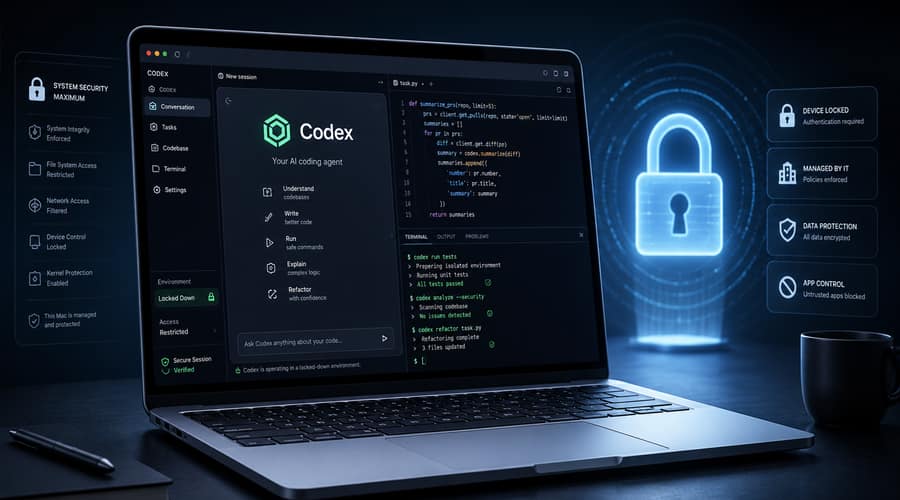
Codex can now keep working through approved Mac apps after the screen locks, which turns a coding assistant into something much closer to an always-available operator.
OpenAI has pushed Codex further onto the desktop, and the important part is not simply that it can click around a Mac. The important part is that it can now do that after the Mac is locked, from a connected device, while the user is somewhere else.
That sounds like a small convenience until you think about how work actually happens. Developers leave builds running. Founders travel between meetings. Product teams discover bugs inside desktop flows that cannot be reproduced cleanly from a terminal. Codex being able to keep using approved macOS apps in those moments changes the role of the machine from idle hardware into a supervised execution point.
According to OpenAI's developer documentation, locked computer use is available in the Codex app on macOS outside the European Economic Area, the United Kingdom and Switzerland at launch, and it requires users to install the Computer Use plugin and grant Screen Recording and Accessibility permissions. Codex can then see and operate graphical interfaces, including clicking, typing, using menus and interacting with the clipboard in apps the user allows.
This is not a general remote-unlock feature, and that distinction matters. OpenAI says locked use works only after the user enables it, only during an active trusted computer-use turn, and only inside a short-lived authorization window. When Codex temporarily unlocks the Mac, it covers the displays, blocks local use and relocks if it detects keyboard or pointer input. It also cannot automate Terminal apps, Codex itself, administrator authentication or system security permission prompts.
The practical benefit is clear enough. A developer can start a task from a phone, point Codex at a browser or app window, and let it continue testing a flow after the screen goes dark. OpenAI has also added Appshots, which lets users send an app window into a Codex thread with a Command-Command shortcut, and goal mode, which lets the agent keep working toward a defined outcome over longer periods.
But the deeper story is permissions. Once an AI agent can work in signed-in apps, the old question of whether it writes clean code becomes only one part of the buying decision. The new question is what it can see, what it can click, which credentials are visible in the session, which actions are logged, and who is responsible when the agent follows an instruction that looked harmless at the time.
OpenAI is clearly trying to narrow the blast radius. App approvals are separate from macOS permissions. Codex asks before using a new app, and users can mark specific apps as always allowed. File edits and shell commands still follow Codex approval and sandbox settings. Enterprise and Edu admins can also turn off remote computer use through managed policies, while OpenAI's recent Codex safety material points to managed configuration, requirements files and agent-aware telemetry as the control layer for larger rollouts.
That is the right direction, but it does not remove the hard part. If Codex uses a browser where you are already signed in, a website may treat clicks and form submissions as yours. If a customer database, payment console or internal admin panel is open, the agent does not need administrator privileges to create a serious problem. It only needs access to the same surface a normal employee already has.
The race is moving beyond chat
OpenAI is not alone in this direction. Anthropic has pushed Claude toward computer use through desktop control and coding workflows, with its own permission prompts and safety warnings. Google moved early with Project Mariner, a browser-control experiment, before shutting the standalone project on May 4, 2026 and shifting the technology into broader Google products. The competition is no longer about which chatbot answers faster. It is about which agent can safely act on real software.
Codex's locked Mac feature is notable because it reaches into the local endpoint, not just a cloud workspace or a browser tab. That makes it especially relevant for startups and enterprise IT teams. A cloud coding agent can be constrained inside a repository, container or remote environment. A desktop agent touches messier ground: local apps, active sessions, screen content, clipboard state and user-specific workflows that were never designed for machine operators.
For founders, the temptation will be to turn this on quickly. That is understandable. A small team gets more leverage when routine testing, configuration and debugging can happen after hours without someone sitting at the machine. The risk is letting convenience become the policy. Sensitive apps should not be approved casually. Always allow should be reserved for boring, low-risk tools. Logged activity should be reviewable. Devices used for agentic work may need separate accounts, stricter app lists and clearer incident rules.
The market is moving toward persistent agents because the productivity gains are obvious. The governance gap is just as obvious. Codex on a locked Mac shows where software work is heading: less waiting, more delegation, and a growing need to treat AI agents as real endpoint actors. The next winners will not simply be the tools that can control the computer. They will be the ones companies can trust with the keys.
Also read: Corsair’s CXMT memory kit gives Chinese DRAM a global opening • Anthropic says Mythos has found more than 10,000 software flaws • Grok is struggling to turn Musk's reach into enterprise trust